
SEO Meta Tag, SERP Preview & Robots.txt Builder
Preview search snippets, validate title/description lengths, and generate Meta & Robots.txt code.
- 100% On-Device Execution
- Zero Files Uploaded to Server
- Live Google search snippet preview, character length checks, Open Graph HTML generator, and robots.txt builder.
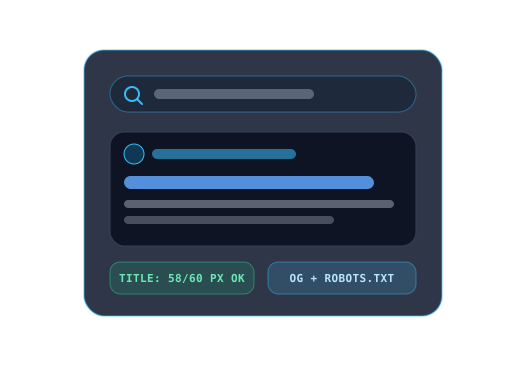
How to Use SEO Meta Tag, SERP Preview & Robots.txt Builder
4 Quick StepsFollow these steps to process your data or files directly inside your browser:
- 1Enter your page Title Tag, Meta Description, Canonical URL, and optional Open Graph preview image URL.
- 2Monitor the live character meters (optimal 50–60 chars for Title, 120–160 chars for Description) and toggle between Desktop and Mobile Google SERP previews.
- 3Configure your crawler rules (Allow All vs. Disallow All, plus disallowed directory paths) for `robots.txt`.
- 4Copy the ready-to-paste HTML `<head>` meta tags and download or copy your `robots.txt` file.
Technical Architecture & Key Capabilities
Local RAM OnlySynthesizes standards-compliant HTML5 meta tags, Open Graph protocol tags, Twitter summary cards, and RFC 9309 Robots Exclusion Protocol directives reactivity in local state.
Included Workbench Capabilities
- Live Google SERP snippet simulator with Desktop and Mobile layout toggle
- Complete HTML `<head>` generator including canonical, Open Graph (`og:*`), and Twitter Card tags
- Interactive `robots.txt` rule builder with automatic XML sitemap declaration
- Real-time character truncation warnings for titles (>60 chars) and descriptions (>160 chars)
Support
Frequently Asked Questions About SEO Meta Tag, SERP Preview & Robots.txt Builder
Quick answers about how this works, what it assumes, and where its limits are.
What is the ideal length for an SEO title and meta description?
Keep page titles under 60 characters (roughly 600 pixels) and meta descriptions between 120 and 158 characters so search engines do not truncate them with ellipses.
Where should I place the generated `robots.txt` file?
Place `robots.txt` at the root of your domain (for example, `https://yourdomain.com/robots.txt`) so search crawlers can discover it automatically.
Why include both standard meta tags and Open Graph tags?
Search engines use `<title>` and `<meta name="description">`, while social platforms (LinkedIn, X, Facebook, Slack, WhatsApp) read `og:title`, `og:description`, and `og:image` when rendering link previews.
Knowledge Center
Related Technical Tutorials & Guides
Deep-dive articles on client-side file processing, data validation, and privacy.

Technical SEO Blueprint: robots.txt, XML Sitemaps, Canonical URLs & Hreflang
Prevent crawl-budget waste and duplicate-URL indexing splits by aligning Disallow rules, clean XML sitemaps, parameter-free canonical tags, and bi-directional hreflang clusters.

JSON-LD Structured Data, Open Graph Cards & SERP Pixel Width Optimization
Measure real Google title and meta description truncation by rendered pixel width rather than raw character count, structure clean Schema.org JSON-LD graphs, and tune social share previews.
Related Utilities
More Free Online Tools
Explore more instant on-device file, format, and developer utilities.
Robots.txt Generator
Build compliant robots.txt files with presets for Googlebot, Next.js, WordPress, and AI crawlers.
XML Sitemap Generator
Generate Sitemaps 0.9 compliant sitemap.xml from URL lists with deduplication and escaping.
Schema Markup Generator (JSON-LD)
Build Google-friendly Schema.org JSON-LD scripts for Articles, Products, FAQs, Breadcrumbs & more.
Open Graph Preview & Meta Generator
Visual Open Graph social link card previewer (Facebook/LinkedIn/WhatsApp) plus OG HTML tag builder.
Favicon Generator & ICO Kit
Turn any logo or SVG into a complete website favicon pack: real multi-size favicon.ico, Apple Touch PNG, PWA icons, and ZIP bundle.
Text Reverser
Reverse characters, flip word order, mirror each word, or reverse line order with grapheme support.