
Meta Description & Title Pixel Checker
Estimate Google Desktop & Mobile SERP pixel widths and preview exact title/description truncation.
- 100% On-Device Execution
- Zero Files Uploaded to Server
- Simulates Google Desktop & Mobile SERP pixel width truncation live.
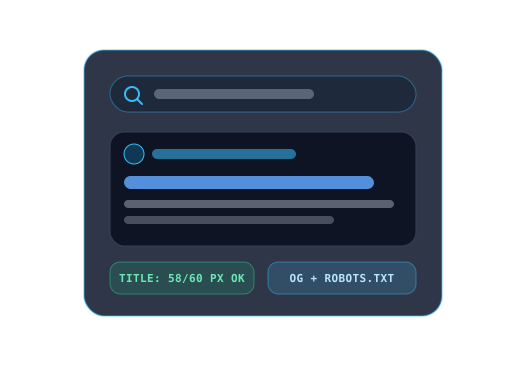
How to Use Meta Description & Title Pixel Checker
3 Quick StepsFollow these steps to process your data or files directly inside your browser:
- 1Enter your target page Title, Meta Description, and Display URL.
- 2Watch Desktop (580px title / 920px description) and Mobile SERP pixel meters live.
- 3Refine phrasing until both bars stay green with zero "..." clipping.
Technical Architecture & Key Capabilities
Local RAM OnlyApplies proportional Google Sans / Arial glyph metrics across title (20px) and snippet (14px) strings to simulate pixel clipping thresholds locally.
Included Workbench Capabilities
- Proportional character-width pixel estimation (accounts for narrow "i/l" vs wide "W/M")
- Side-by-side Google Desktop & Mobile SERP snippet simulations
- Exact status badges: Optimal, Too Short, or Truncated with "..."
- Exports ready HTML <title> + <meta name="description"> tags
Support
Frequently Asked Questions About Meta Description & Title Pixel Checker
Quick answers about how this works, what it assumes, and where its limits are.
Why does pixel width matter more than strict character count?
Google truncates search snippets by pixel width (~580px for titles and ~920px for desktop descriptions). Ten wide "W"s take more room than twenty narrow "i"s.
What is the safest character range for meta descriptions?
Aim for 120 to 155 characters on desktop (and put the main call-to-action in the first 120 characters for mobile SERPs).
Will Google sometimes rewrite my meta description anyway?
Yes, for long-tail queries Google may pull page text, but a concise on-topic meta description improves default snippet CTR.
Knowledge Center
Related Technical Tutorials & Guides
Deep-dive articles on client-side file processing, data validation, and privacy.

JSON-LD Structured Data, Open Graph Cards & SERP Pixel Width Optimization
Measure real Google title and meta description truncation by rendered pixel width rather than raw character count, structure clean Schema.org JSON-LD graphs, and tune social share previews.

Technical SEO Blueprint: robots.txt, XML Sitemaps, Canonical URLs & Hreflang
Prevent crawl-budget waste and duplicate-URL indexing splits by aligning Disallow rules, clean XML sitemaps, parameter-free canonical tags, and bi-directional hreflang clusters.
Related Utilities
More Free Online Tools
Explore more instant on-device file, format, and developer utilities.
Keyword Density Checker
Analyze exact keyword percentage, over-stuffing risk alerts, and top 1/2/3-word N-gram frequencies.
Word Counter for SEO & Readability
SEO content scorer with Flesch readability grade, long-sentence flags, and H1–H4 outline audit.
Canonical URL Generator
Clean URLs of utm/fbclid params, normalize trailing slashes, and output HTML + Next.js canonical tags.
Hreflang Tag Generator
Generate validated hreflang clusters with x-default across HTML, XML Sitemap, and HTTP formats.
Hex to Text & Text to Hex Converter
Bidirectional Hex-to-UTF8 decoder & encoder supporting 0x, space-separated, and \xXX formats.
File Name Cleaner & Batch Sanitizer
Sanitize bulk filenames for cross-OS safety, SEO URLs, and optional PowerShell/Bash rename commands.